

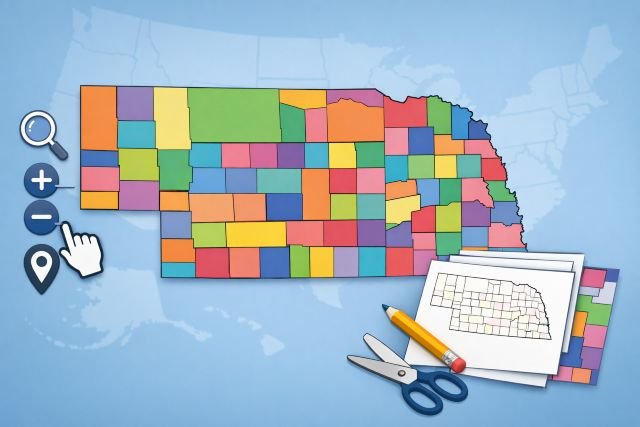
If you’ve ever searched for a nebraska county map and ended up with something blurry, outdated, or impossible to print cleanly, you’re not alone. The good news is that Nebraska has excellent official and semi-official resources — plus a few “power user” options—depending on whether you’re planning a trip, teaching a class, building a sales territory map, or downloading GIS boundaries for a project.
- Nebraska county map basics: what “good” looks like
- Interactive Nebraska county map options you can actually use
- Printable Nebraska county map: the most reliable “download and print” sources
- How to choose the right Nebraska county map for your exact task
- How to print a Nebraska county map without it looking terrible
- Featured snippet: quick definition
- FAQs about Nebraska county maps
This guide breaks down the best interactive maps, the most reliable printable PDFs, and the cleanest downloadable boundary files. You’ll also learn how to choose the right map based on what you’re doing, how to print without ugly pixelation, and how to avoid the most common mistakes (like using the wrong projection or a map that’s not licensed for your use).
Nebraska has 93 counties, which is helpful to know when you’re sanity-checking any map you download.
Nebraska county map basics: what “good” looks like
A “good” nebraska county map usually nails three things:
First, it has accurate county boundaries sourced from a trustworthy dataset (ideally government). The U.S. Census Bureau’s TIGER/Line products are one of the most widely used official boundary sources in the U.S. mapping world.
Second, it matches your use case. A teacher needs clear labels and big lines; a GIS analyst needs a shapefile or GeoJSON; a traveler might need highways and towns layered on top.
Third, it’s usable at the size you need. A map can look perfect on-screen and still print terribly if it’s a low-resolution JPG stretched to poster size.
Interactive Nebraska county map options you can actually use
NebraskaMAP: the best “official” interactive starting point
If you want an interactive map that feels modern and is tied to statewide data, NebraskaMAP (the state GIS open data hub) is a strong bet. It’s designed for discovering and downloading data, and it supports multiple formats like GeoJSON and provides service links (useful if you’re building an app or web map).
Why it’s practical: you can explore county boundaries as a dataset, then download them for your own projects instead of screenshotting a map and hoping it scales.
When to use it:
- You need county boundary data you can reuse
- You’re making your own interactive map (ArcGIS, QGIS, Leaflet, etc.)
- You want something more “source-of-truth” than a random image
U.S. Census TIGER/Line and Cartographic Boundary Files: best for GIS + consistency
For mapping projects where you care about standards and repeatability, the Census Bureau’s TIGER/Line shapefiles are a cornerstone dataset. If you’re making a thematic map (e.g., coloring counties by population or crop yield), the Census “cartographic boundary files” are simplified for clean display at small scales.
Why it’s practical: it’s predictable, widely supported, and easy to join with Census demographic data later.
When to use it:
- You’re building dashboards or data visualizations
- You want clean, simplified boundaries for state-level maps
- You need a nationally consistent source
County-finder style interactive maps (good for quick answers)
Some interactive county boundary tools overlay county lines on Google Maps and let you search by address. These can be handy when your only question is: “What county is this location in?” (Just remember: they’re usually built on public datasets and can include disclaimers about precision.)
When to use it:
- Quick county lookup by address
- You don’t need to download data
- You want familiar Google Maps navigation
Printable Nebraska county map: the most reliable “download and print” sources
Nebraska Department of Transportation (NDOT): official county PDFs for printing big
If you want printable county maps that are meant to be printed (not just viewed), NDOT’s Map Library provides downloadable Nebraska county maps in PDF (and Microstation). These are large-format maps and are explicitly offered as downloadable county map files.
Why it’s practical: these are purpose-built for printing and often include transportation context that’s useful in the real world.
Best for:
- Wall prints
- Planning routes, logistics, field work
- Anyone tired of pixelated printouts
“Simple printable” county outline maps (good for classrooms)
If your goal is a clean county outline with labels — something students can write on — there are printable map sites that provide straightforward PDFs. The quality varies, so treat these as convenience options and always confirm that all 93 counties are present and labels are legible at your print size.
Best for:
- Worksheets and quizzes
- Quick reference handouts
- Light, ink-friendly printing
How to choose the right Nebraska county map for your exact task
If you’re teaching or studying
Pick a map with bold county lines, readable labels, and minimal clutter. A clean printable PDF is usually better than a detailed road map because students can actually see boundaries and names without squinting.
Tip: print a test page at 100% scale before printing 25 copies. If county names are hard to read on your printer, switch to a “county lines only” map or print in landscape.
If you’re traveling, working in the field, or planning routes
Use a printable NDOT county PDF when you want something you can fold, mark up, or bring into places without cell service.
Tip: if you need both county boundaries and navigation context, prioritize maps that include highways and major towns. County-only outlines can be frustrating on the road.
If you’re doing GIS, data analysis, or building a web map
Start with NebraskaMAP county boundaries if you want state hub data access and multiple export formats. For standardized national workflows, use TIGER/Line or cartographic boundary files from the Census Bureau.
Tip: if your map is for display (not analysis), try cartographic boundary files first—they’re designed to look cleaner when zoomed out.
If you’re making business territory maps or service areas
Use a boundary dataset (GeoJSON/shapefile), then overlay your data (customers, service calls, deliveries). TIGER/Line county boundaries are commonly used for this.
Tip: decide early whether counties are the right unit. Counties are convenient, but ZIP Codes, census tracts, or custom polygons may match your operations better.
How to print a Nebraska county map without it looking terrible
Most bad prints happen for one of three reasons: low resolution, wrong paper size, or scaling issues.
Here’s the workflow that avoids 90% of frustration:
- Prefer PDFs over JPG/PNG when printing. PDFs preserve vector detail far better at poster sizes. NDOT’s downloadable county maps are a strong option here.
- Match the map to your paper. If a map is designed for large format and you print it on letter paper, labels will become tiny. If you must use letter paper, choose a “simple county outline” style.
- Turn off “Fit to page” if it makes labels shrink. Instead, try printing at 100% or “Actual size,” or use tiling/poster printing in your PDF viewer to split it across multiple pages.
- Do a single test print first. This sounds basic, but it saves ink and time—especially for classroom sets.
Featured snippet: quick definition
Nebraska county map (definition): A map that shows Nebraska’s 93 county boundaries, often with county names, seats, and sometimes roads or city locations.
FAQs about Nebraska county maps
How many counties are in Nebraska?
Nebraska has 93 counties.
Where can I get an official printable county map?
NDOT’s Map Library provides downloadable Nebraska county maps as PDFs designed for printing.
Where can I download county boundary files for GIS?
You can use NebraskaMAP (state GIS open data hub) to explore and download county boundary data in multiple formats. For national-standard boundary files, the U.S. Census Bureau TIGER/Line and cartographic boundary files are widely used.
What’s the difference between TIGER/Line and cartographic boundary files?
TIGER/Line files are core geographic boundaries used for GIS workflows, while cartographic boundary files are simplified versions designed to look cleaner at small scales (like statewide thematic maps).
What’s the easiest way to find my county by address?
Use an interactive county boundary map that supports address search; it will place a marker and show the county name. Keep in mind these tools may include accuracy disclaimers depending on data sources.